In the digital age, establishing an online presence is crucial for businesses of all sizes. WordPress, a versatile content management system, has emerged as a popular choice for creating ecommerce websites. One of the most appealing aspects of WordPress is its extensive library of ecommerce website templates, which allow users to build visually appealing and functional online stores without needing extensive coding knowledge.
These templates serve as the foundation for an ecommerce site, providing essential design elements and features that cater to the unique needs of online retail. Ecommerce website templates for WordPress come in various styles and functionalities, catering to different niches and business models. Whether you are launching a boutique clothing store, a tech gadget shop, or a handmade crafts marketplace, there is likely a template that aligns with your vision.
The ease of customization offered by these templates enables entrepreneurs to create a unique brand identity while ensuring that their online store is user-friendly and optimized for conversions. As the ecommerce landscape continues to evolve, understanding the significance of these templates becomes increasingly important for anyone looking to succeed in the online marketplace.
Key Takeaways
- Ecommerce website templates for WordPress provide a convenient and cost-effective way to create a professional online store.
- Using free ecommerce website templates can save time and money, and they often come with a variety of customizable features.
- When choosing an ecommerce website template, look for features such as mobile responsiveness, SEO optimization, and easy integration with payment gateways.
- Some of the top free ecommerce website templates for WordPress include Astra, OceanWP, and Storefront.
- Installing and customizing ecommerce website templates is relatively easy, and there are plenty of tutorials and resources available to help with the process.
Benefits of Using Free Ecommerce Website Templates

One of the most significant advantages of utilizing free ecommerce website templates is cost-effectiveness. For startups and small businesses operating on tight budgets, free templates provide an opportunity to establish a professional online presence without incurring hefty expenses. This financial flexibility allows entrepreneurs to allocate resources toward other critical areas of their business, such as marketing or inventory acquisition.
Additionally, many free templates come with essential features that are often found in premium options, making them a viable choice for those just starting. Another benefit of free ecommerce website templates is the accessibility they offer. With a plethora of options available, users can easily find templates that suit their specific needs and preferences.
Many free templates are designed with user experience in mind, ensuring that they are responsive and mobile-friendly. This is particularly important in today’s market, where a significant portion of online shopping occurs on mobile devices. Furthermore, the community-driven nature of WordPress means that many free templates are regularly updated and maintained by developers who are committed to improving functionality and security.
Top Features to Look for in Ecommerce Website Templates

When selecting an ecommerce website template for WordPress, certain features can significantly enhance the functionality and user experience of your online store. One critical feature is responsiveness; a template should automatically adjust its layout and design elements to provide an optimal viewing experience across various devices, including smartphones, tablets, and desktops. This adaptability is essential for capturing the growing number of mobile shoppers who expect seamless navigation regardless of their device.
Another important feature to consider is compatibility with popular ecommerce plugins such as WooCommerce. WooCommerce is one of the most widely used ecommerce solutions for WordPress, enabling users to manage products, process payments, and handle shipping logistics efficiently. A template that integrates seamlessly with WooCommerce will allow you to leverage its powerful features without encountering compatibility issues.
Additionally, look for templates that offer customizable layouts and design options, enabling you to tailor your site’s appearance to reflect your brand identity effectively.
Top Free Ecommerce Website Templates for WordPress
| Template Name | Responsive Design | Customization Options | Ecommerce Integration |
|---|---|---|---|
| ShopIsle | Yes | High | WooCommerce |
| Shopera | Yes | Medium | WooCommerce |
| Storefront | Yes | High | WooCommerce |
| Shopress | Yes | High | WooCommerce |
Several free ecommerce website templates stand out in the WordPress ecosystem due to their design quality and functionality. One notable example is Astra, a lightweight and highly customizable template that works exceptionally well with WooCommerce. Astra offers a range of pre-built demo sites tailored for various industries, allowing users to import a complete site with just a few clicks.
Its fast loading times and SEO-friendly structure make it an excellent choice for businesses looking to enhance their online visibility. Another popular option is OceanWP, which boasts a plethora of features designed specifically for ecommerce sites. OceanWP is known for its versatility and extensive customization options, allowing users to create unique layouts without any coding knowledge.
The template also includes built-in support for various ecommerce functionalities such as product galleries, quick view options, and customizable checkout pages. With its responsive design and compatibility with popular page builders like Elementor, OceanWP provides an excellent foundation for any online store.
How to Install and Customize Ecommerce Website Templates
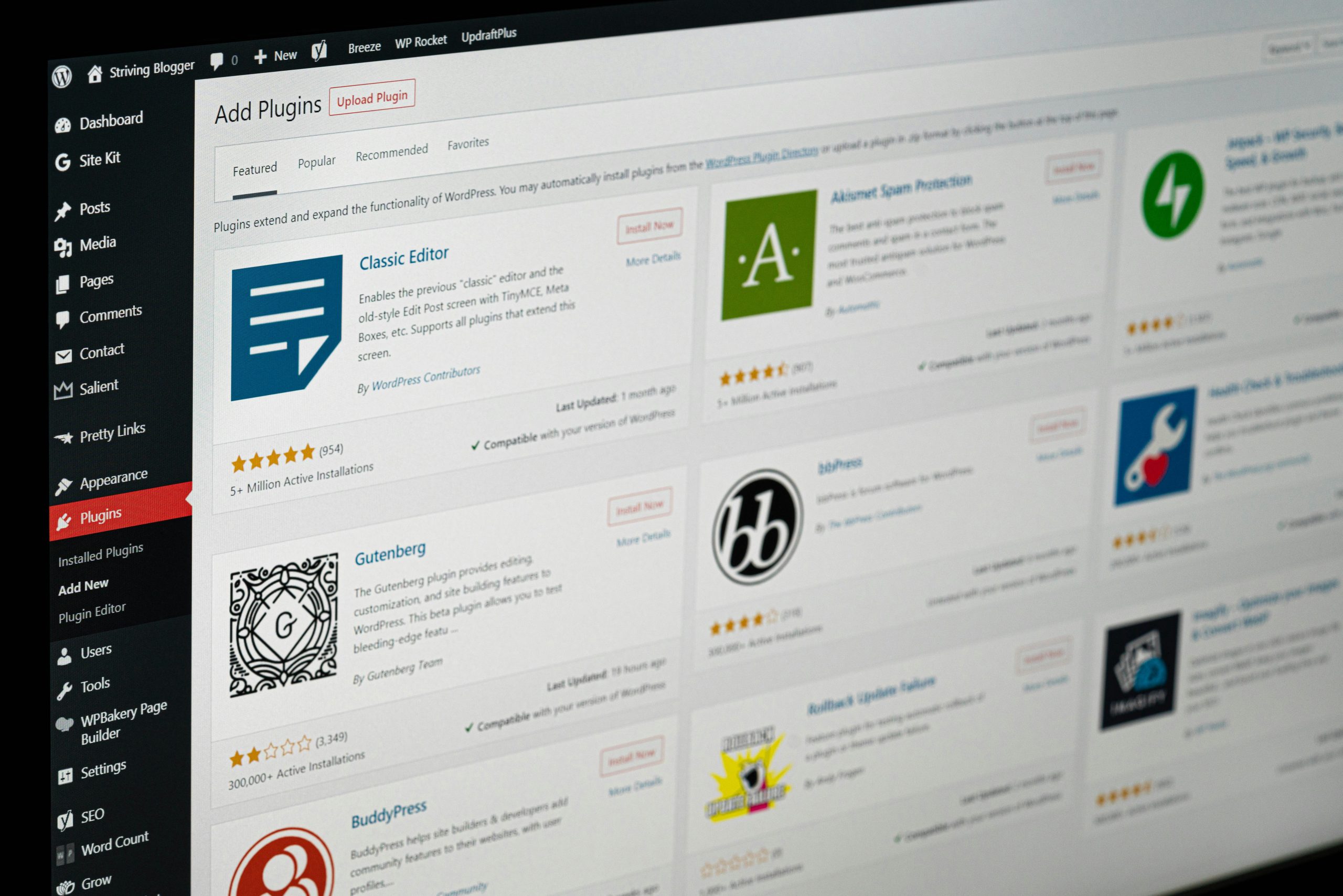
Installing an ecommerce website template on WordPress is a straightforward process that can be completed in just a few steps. First, navigate to the WordPress dashboard and select “Appearance” followed by “Themes.” From there, you can either upload a new theme or search for free themes directly from the WordPress repository. Once you find your desired template, click “Install” and then “Activate” to make it live on your site.
After installation, customizing your ecommerce template is where the real magic happens. Most modern templates come with built-in customization options accessible through the WordPress Customizer or theme settings panel. Here, you can modify various elements such as colors, fonts, layouts, and header styles to align with your brand identity.
Additionally, many templates support drag-and-drop page builders like Elementor or Beaver Builder, allowing you to create custom page layouts effortlessly. By utilizing these tools effectively, you can create a visually appealing and functional online store that resonates with your target audience.
Tips for Choosing the Right Ecommerce Website Template for Your Business

Selecting the right ecommerce website template requires careful consideration of several factors that align with your business goals and target audience. First and foremost, assess your niche and the specific features that may be necessary for your products or services. For instance, if you plan to sell clothing or accessories, look for templates that offer robust product display options such as image zoom features or multiple product views.
Conversely, if you are selling digital products or services, prioritize templates that facilitate easy downloads or bookings. Another critical aspect to consider is the level of support and documentation provided by the template developers. A well-documented template will often come with tutorials or guides that can help you navigate customization processes more efficiently.
Additionally, check user reviews and ratings to gauge the experiences of others who have used the template. This feedback can provide valuable insights into potential issues or advantages that may not be immediately apparent during your initial evaluation.
Best Practices for Designing and Optimizing Your Ecommerce Website
Designing an effective ecommerce website goes beyond simply choosing an attractive template; it involves implementing best practices that enhance user experience and drive conversions. One fundamental principle is maintaining a clean and intuitive layout that allows visitors to navigate your site effortlessly. Use clear categories and subcategories to organize products logically, making it easy for customers to find what they are looking for without feeling overwhelmed.
In addition to layout considerations, optimizing your website for speed is crucial in retaining visitors and reducing bounce rates. Slow-loading pages can frustrate users and lead them to abandon their shopping carts in favor of faster competitors. To improve loading times, compress images without sacrificing quality, utilize caching plugins, and consider using a content delivery network (CDN) to distribute content more efficiently across different geographical locations.
Conclusion and Final Thoughts on Free Ecommerce Website Templates for WordPress
The world of ecommerce continues to expand rapidly, making it essential for businesses to establish a strong online presence through effective website design. Free ecommerce website templates for WordPress offer an accessible entry point for entrepreneurs looking to create professional online stores without incurring significant costs. By understanding the benefits of these templates and knowing what features to prioritize during selection, business owners can set themselves up for success in the competitive digital marketplace.
As you embark on your journey to create an ecommerce website using WordPress templates, remember that customization is key to standing out from the crowd. Take advantage of the tools available within your chosen template to create a unique brand identity while adhering to best practices in design and optimization. With careful planning and execution, your ecommerce site can become a powerful platform for reaching customers and driving sales in today’s dynamic online environment.