
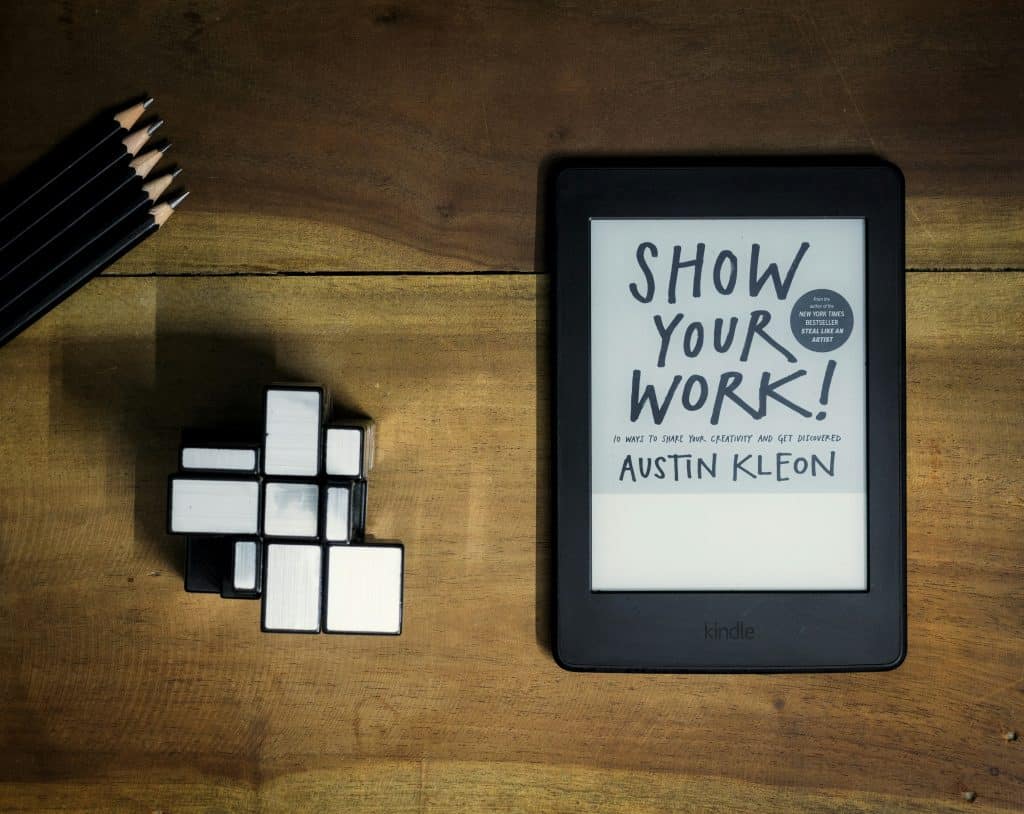
The Amazon Kindle has revolutionized the way we read, offering a digital platform that caters to the needs of modern readers. Launched in 2007, the Kindle was designed to provide an accessible and convenient way to enjoy books without the bulk and weight of traditional paperbacks. With its sleek design and user-friendly interface, the Kindle quickly gained popularity among avid readers and casual book lovers alike.
The device allows users to carry an entire library in their hands, making it possible to read anywhere, anytime, without the constraints of physical books. The Kindle’s impact on the publishing industry has been profound. It has not only changed how readers consume literature but has also transformed how authors publish their work.
The rise of self-publishing through platforms like Kindle Direct Publishing (KDP) has democratized the literary world, allowing new voices to emerge and reach audiences that may have been inaccessible through traditional publishing routes. As a result, the Kindle has become synonymous with the digital reading experience, paving the way for innovations in e-books and reading technology.
Key Takeaways
- Amazon Kindle is a popular e-reader that allows users to access a wide range of digital books and other reading materials.
- Features of Amazon Kindle include a glare-free display, long battery life, and access to millions of books, audiobooks, and magazines.
- Setting up and using Amazon Kindle is easy, with options to customize settings, connect to Wi-Fi, and purchase and download reading materials.
- Tips for maximizing your reading experience with Amazon Kindle include adjusting font size, using the built-in dictionary, and utilizing the “Whispersync” feature.
- Accessing and managing your library on Amazon Kindle is simple, with options to organize books, create collections, and sync your reading progress across devices.
Features and Benefits of Amazon Kindle

One of the standout features of the Amazon Kindle is its E Ink display technology, which mimics the appearance of ink on paper. This technology reduces glare and provides a comfortable reading experience, even in bright sunlight. Unlike traditional screens, E Ink displays do not emit blue light, making them easier on the eyes during extended reading sessions.
The Kindle’s adjustable front light further enhances this experience by allowing users to read comfortably in low-light conditions without straining their eyes. In addition to its display, the Kindle offers a plethora of features designed to enhance the reading experience. The built-in dictionary allows readers to look up unfamiliar words instantly, while the X-Ray feature provides insights into characters, themes, and important passages within a book.
Furthermore, the Kindle supports various formats, including PDF and MOBI, enabling users to access a wide range of content beyond just e-books. The ability to highlight passages and take notes directly on the device adds another layer of interactivity, making it easier for readers to engage with the material.
How to Set Up and Use Amazon Kindle

Setting up an Amazon Kindle is a straightforward process that can be completed in just a few minutes. Upon unboxing the device, users are greeted with a simple setup guide that walks them through connecting to Wi-Fi and registering their Kindle with an Amazon account. Once connected, users can access the vast library of e-books available on Amazon’s platform.
The intuitive interface allows for easy navigation through menus, making it simple to find and download books. Using the Kindle is equally user-friendly. Readers can browse through their library, search for specific titles, or explore recommendations based on their reading history.
The device also allows for easy organization of books into collections, helping users manage their growing libraries efficiently. Additionally, syncing across devices ensures that readers can pick up where they left off, whether they are using a Kindle device or the Kindle app on their smartphone or tablet.
Tips for Maximizing Your Reading Experience with Amazon Kindle
| Tip | Description |
|---|---|
| Adjusting Font Size | Customize the font size to make reading more comfortable for your eyes. |
| Using X-Ray Feature | Explore the X-Ray feature to get more insights into the book’s characters and themes. |
| Utilizing Goodreads Integration | Connect your Kindle with Goodreads to discover new books and see what your friends are reading. |
| Enabling Whispersync | Sync your reading progress across devices with Whispersync to seamlessly switch between Kindle and Kindle app. |
| Exploring Kindle Unlimited | Consider subscribing to Kindle Unlimited for access to a vast library of books and audiobooks. |
To truly enhance your reading experience on the Amazon Kindle, consider customizing your settings to suit your preferences. Adjusting font size and style can make a significant difference in comfort during long reading sessions. The Kindle offers various font options and sizes, allowing users to find the perfect combination that suits their eyesight and reading habits.
Additionally, experimenting with line spacing and margins can further improve readability. Another way to maximize your experience is by utilizing features like Goodreads integration. By connecting your Kindle to your Goodreads account, you can track your reading progress, share reviews, and discover new books based on recommendations from friends and fellow readers.
Engaging with a community of readers can enrich your literary journey and introduce you to genres or authors you may not have considered otherwise.
Accessing and Managing Your Library on Amazon Kindle
Managing your library on an Amazon Kindle is designed to be seamless and efficient. Users can easily access their entire collection from the home screen, where books are displayed in a visually appealing grid format. The search function allows for quick retrieval of specific titles or authors, while the ability to sort books by various criteria—such as title, author, or recent additions—makes organization effortless.
For those who enjoy exploring new titles, the Kindle Store is just a few taps away. Users can browse through categories, check out bestsellers, or explore curated lists based on their interests. Additionally, features like Kindle Unlimited offer subscribers access to a vast selection of e-books for a monthly fee, providing an economical way to discover new authors and genres without committing to individual purchases.
Exploring Additional Features and Apps on Amazon Kindle

Beyond its core reading capabilities, the Amazon Kindle is equipped with several additional features that enhance its functionality. One notable feature is Whispersync, which synchronizes your reading progress across devices. This means that if you start reading on your Kindle and later switch to the Kindle app on your smartphone or tablet, you can continue right where you left off without any hassle.
Moreover, the Kindle supports various apps that can further enrich your reading experience. For instance, users can access Audible audiobooks directly from their Kindle devices if they own a compatible model. This integration allows readers to switch between reading and listening seamlessly, catering to different preferences or situations—whether commuting or relaxing at home.
Additionally, features like Word Wise provide definitions and explanations for challenging words in real-time, making it easier for readers of all ages to engage with complex texts.
Troubleshooting Common Issues with Amazon Kindle
While the Amazon Kindle is generally reliable, users may encounter occasional issues that require troubleshooting. One common problem is connectivity issues with Wi-Fi networks. If your Kindle fails to connect or frequently drops its connection, it’s advisable to check your network settings and ensure that your device is within range of the router.
Restarting both the Kindle and the router can often resolve these connectivity problems. Another issue that users may face is battery life concerns. If your Kindle seems to be draining its battery faster than expected, consider adjusting settings such as screen brightness or disabling features like Wi-Fi when not in use.
Additionally, keeping your device updated with the latest software can help optimize performance and battery efficiency. If problems persist despite these adjustments, reaching out to Amazon’s customer support can provide further assistance.
Embracing the Future of Reading with Amazon Kindle
The Amazon Kindle represents a significant leap forward in how we engage with literature in our increasingly digital world. Its combination of portability, user-friendly features, and access to an extensive library makes it an invaluable tool for readers of all kinds. As technology continues to evolve, so too does the potential for enhancing our reading experiences through devices like the Kindle.
By embracing this innovative platform, readers can explore new genres, connect with fellow book lovers, and enjoy literature in ways that were previously unimaginable. The future of reading is not just about convenience; it’s about creating a richer and more interactive experience that fosters a deeper connection with stories and ideas. As we move forward into this new era of reading, the Amazon Kindle stands at the forefront, inviting us all to discover the endless possibilities that await within its digital pages.
